

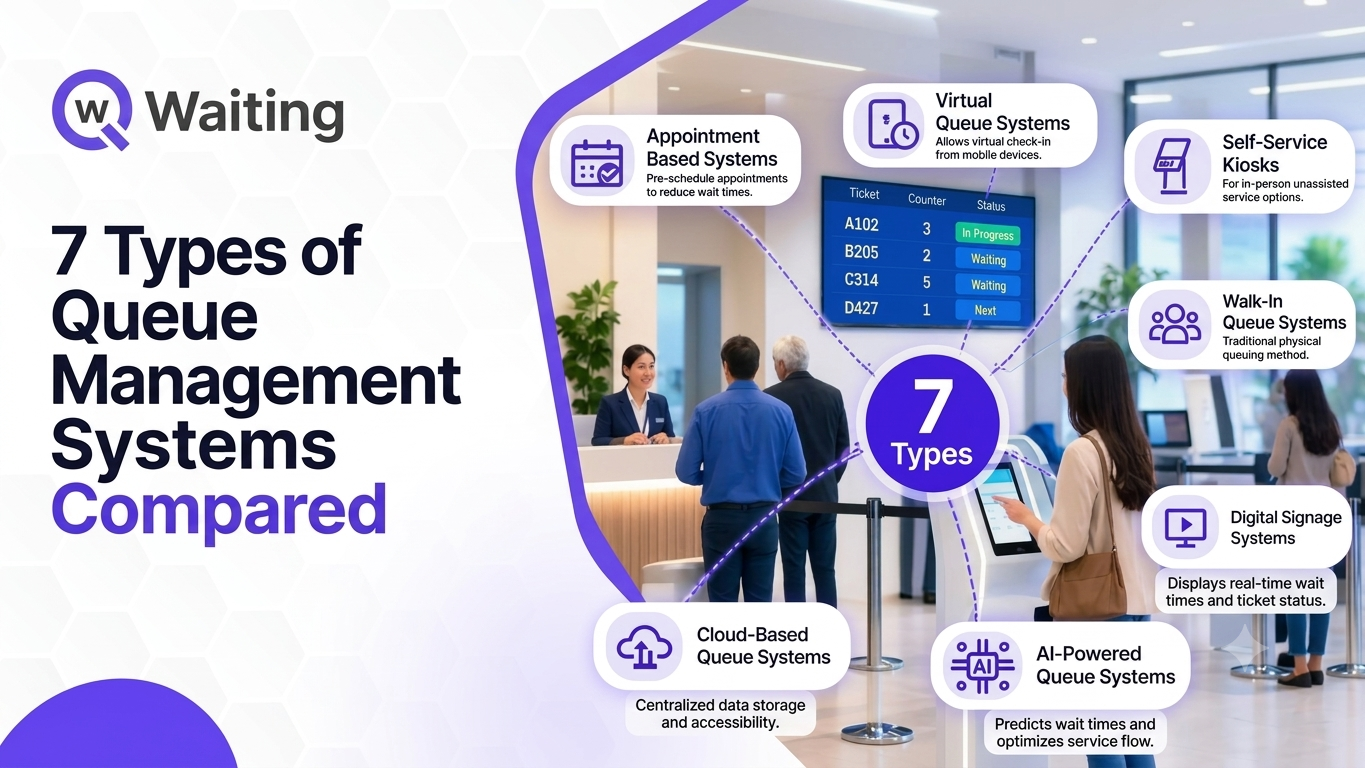
7 Types of Queue Management Systems Compared
Oct 07, 2026

Deliver fast, reliable service with a cloud system that updates in real-time and scales with your business.

Control your data and infrastructure with a secure, offline-ready solution tailored for complex environments.

Empower customers to check in, book, or update their appointments without staff assistance.

Deliver fast, secure access for repeat visitors using AI-powered facial recognition.
 Banking
Streamline customer flow and reduce wait times in banks and financial institutions.
 Healthcare
Refine patient check-ins and improve healthcare service.
 Public
Sector
Public
Sector
Manage citizen services smoothly in government offices and public institutions.
 Retail
Improve shopping experiences by minimizing checkout lines and wait times.
 DMV
DMV
Organize customer service queues in automotive showrooms and service centers.
 Airport
Speed up passenger processing with efficient queue management at terminals.
All Industries → AI Chatbot
Intelligent conversational AI that answers questions, books appointments, and assists 24/7.
 AI Appointment Booking System
Automate appointment scheduling with AI-powered booking, smart reminders, and seamless customer check-ins.
 Appointment
Booking
Appointment
Booking
Offer flexible scheduling that helps customers plan their visit and avoid peak-time congestion.
 Biometric
System
Biometric
System
Speed up identity verification and check-ins using facial or fingerprint recognition.
 Automation
Automate workflows and reduce manual tasks with smart queue solutions.
 Virtual
Queuing
Virtual
Queuing
Let customers wait from anywhere home, car, or cafe with mobile-based virtual queues.
 Visitor
Management
Visitor
Management
Track and manage visitor entry, exit, and ID verification from a single dashboard.
 Video
Queue
Video
Queue
Allow people to join video calls instantly with one link—no apps, Accessible on any browser.
 Tele-Consultation
Offer seamless virtual consultations with real-time communication tool.
All Solutions → Become a Partner
Start your Qwaiting partner journey.
 Reseller Partner
Program
Reseller Partner
Program
Unlock new revenue by reselling Qwaiting solutions.
 Become a Sales Partner
Turn customer relationships into new revenue opportunities.
 Become a Development Partner
Build smarter customer journeys by connecting your technology.
 Become a Hardware Partner
Bring your devices, kiosks, and displays into connected customer flow.
Explainer
Videos
Watch quick product demos and tutorials to understand how Qwaiting works for your business.
 Blog
Blog
Read expert insights, tips, and industry trends to enhance customer experience.
 Ebooks
Download in-depth guides and resources to explore queue management best practices.
 Self Guided
Demo
Self Guided
Demo
Explore Qwaiting in a quick interactive demo, no signup needed.
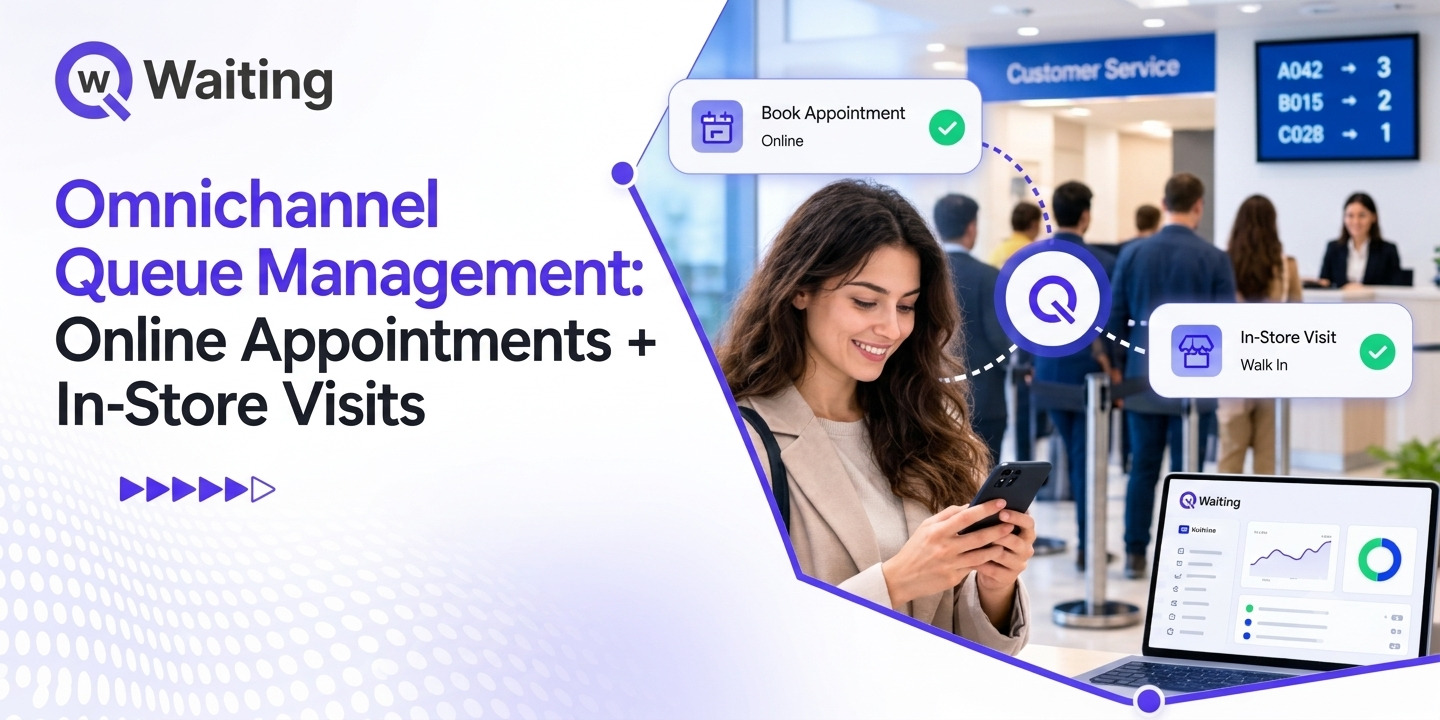
Omnichannel queue management helps retailers connect online appointments, walk-in visits, and order pickups through one coordinated system. Discover how Qwaiting helps streamline customer flow, reduce congestion, improve staff allocation, and deliver a more consistent in-store experience.
For years, retailers have been working to enhance the pre-store experience. It's not uncommon to find booking tools, order apps, or even pickup options. But the entrance at the door is not always as structured. People with appointments, people who just walk in for assistance, and people who pick up their orders online are all coming through the same access point, and many stores still treat each of these trips as if it were the only one. The result is familiar to any store manager. Pickup customers end up in the checkout line. Booked customers wait behind walk-ins. The staff moves from one counter to another without knowing who has waited the longest. Omni-channel queue management in retail stores solves this problem. How? Let's discover in the following blog. Omni-channel queue management ensures that there is continuity between the online and offline processes. The store knows who to expect, what they need, and where to find them. Put simply, it is one coordinated view of customer demand across appointments, walk-ins, and order pickups. Each customer type gets a suitable service path. Staff and managers see all of them together. The standard procedure is divided into four steps: Customers check in via various channels – online bookings, walk-in visits, or pickup announcements. The system determines what kind of visit and what type of service is needed, and sends customers to the right queue. Store staff see all demand, customer status, and priorities in one place. The customers get information related to the location and timing of the service. Availability of multiple channels is different from their connection. The store can accept bookings online, conduct pickup service, and handle walk-ins, but none of the channels are connected. The practical test is simple. A customer should be able to start online or in the store without creating extra work for the team. Bookings allow for demand forecasting and planning. But they are only valid in combination with proper respect for all other customers on the store floor, including walk-ins. This process is most likely to go wrong during weekends, special sales events, and new product launches, where bookings and walk-ins peak simultaneously. Well-thought-out plans should provide a balance. Stores should leave some of their capacity for appointments and the rest for walk-in clients while adapting the ratio based on learning when different types of visitors come. It does not mean privileging either of them but rather preventing any silent displacement of other customers. More important than any intelligent scheduling is clear-cut policy. Retail teams need to clarify upfront: which services get priority and when a booking customer can be considered late; how customers should be directed into the correct departments or to the required personnel; who controls queue times and how employees are reallocated upon demand changes. This applies to services such as electronic consultations, personal shopping services, product demonstration services, and mobile service kiosks. They all require different lengths of time and different staffing requirements; thus, one size never really fits all. It is also easier for customers to deal with an anticipated waiting period. This is because an estimated waiting time is better than an unexpected waiting period. Bottom line: An appointment system should help in planning for demand rather than creating a completely different experience on its own. The process of collecting an order starts off virtually but concludes physically. It is the transition where many retailers waste the efficiency gained through the virtual process. The queuing system of BOPIS is arranging the pickups in such a way that they don’t conflict with any other activity in the retailer’s space. It means taking customers to the proper pick-up location without letting them interfere with check-out and service queues. Without BOPIS queuing, a customer who simply requires thirty seconds at the pickup counter might have to stand behind somebody comparing laptops. A well-run pickup journey looks like this: The customer places an order online. The store prepares the order and marks it ready. The customer arrives and checks in through a suitable channel. The customer joins the designated pickup queue. Staff confirm the order and complete the handover. The customer receives confirmation that collection is complete. Each step is simple. The risk is in the gaps between them, especially steps three and four, where customers often do not know what to do on arrival. The usual reasons for bottlenecks at pickup include clustering of arrivals in one hour, limited number of pickup counters, confusing signage, and staff whose attention gets drawn to the more conspicuous customers. Visibility in queuing allows staff to observe who is queued and why. Automation of check-in allows the counting of arrivals immediately as they arrive rather than when the staff sees the queue. Coordination of routes allows picking up of orders to be done by pickup staff. Key takeaway: Fast pickup requires much more than just the prepared order. It also requires an efficient process for handling arrival and pickup. This is where the idea becomes practical. A coordinated system does not push everyone into one line. It gives each journey its own path while keeping one operational view. Four paths cover most retail situations: Online appointments: customers with a booked time who check in and go to a specific service point. Walk-in assistance: shoppers who need help and have no booking. BOPIS and click-and-collect: customers collecting orders, kept away from other queues. Returns, exchanges, and after-sales support: customers whose visits often take longer and need different skills. Separating these paths reduces the mixing that confuses shared counters. It allows managers to have a view of arrivals, queue lengths, service demands, and staff available for serving the customers all at once. In other words, it eliminates the need for managers to walk through the store to evaluate the situation. The significance of having such centralized visibility becomes particularly pronounced in case retailers operate several stores since managers may now compare how different locations cope with similar demands. The integration of digital check-in, virtual queue management, SMS/WhatsApp messages, and queue display may be applied in various ways depending on the type of journey chosen. For example, a booked customer will check in at a kiosk or using a QR code. On the contrary, a pickup customer will check in on his mobile phone before arriving at the counter. It depends on the configuration of the software system implemented. Important takeaway: a coordinated process does not mean that there is only one single queue line. The following is a hypothetical scenario, included to show how the ideas above work together. It is not a real customer case or a measured result. Consider a busy electronics retailer during a weekend promotion. Firstly, one customer comes to receive a consultation for booked products. A walk-in customer is asking for help to compare devices. Also, there are several customers who come to receive their online orders. It becomes quite complicated to decide which customers will be served at which counters. Pick-ups prevent consultations and vice versa. Three separate counters are created in the store. The booked customers check in upon arrival and proceed to the consultation. The walk-in customers enter a queue for help. The pickup customers have their own separate flow. The management measures the demand in all the three flows and shifts staff from one point of service delivery to another if necessary. The customers are provided with information and updates on how and where they should go. All changes will be operational. The number of people who wait in the wrong place will be reduced. The employees will have a better understanding of priorities. The managers will be able to see the rising demand in advance. The benefits only count if they show up in how the store runs day to day. Each one below links to something a manager can observe. By having separate counters for picking up an order, consulting with an employee, and walking into the store, there will not be much congestion at the counter, as customers will not be going to the same place anymore. Effective Staff Scheduling and Resource Planning Patterns of demand, queues, and services give an indication of when the store gets busy and which service points require more people to be scheduled. Customers receive clear instructions on how to check in, get information about the queue status, and the procedure for getting services, depending on how they arrive. Managers will have insight into when demand rises and bottlenecks occur throughout appointments, walk-ins, and pickups. Service points can be allocated based on customer needs instead of each of them being forced to compete for the same counter. To find out if any of this makes sense, track a number of indicators, such as waiting time, queue abandonment, appointment punctuality, pickup time, and staff allocation. Retailers usually come to this problem with a specific operational question: how do we run appointments, walk-ins, and pickups at the same time? Qwaiting is built around customer journeys and service flow, not only ticketing, so it fits that question. Qwaiting’s appointment scheduling and queue management capabilities let retailers organize booked visits next to walk-in demand, so both groups are planned for in the same operation. Self-service check-in, virtual queuing, and SMS or WhatsApp notifications can keep customers informed and reduce time spent standing in line. Availability depends on the deployment the retailer chooses. Queue status, service activity, and operational analytics help managers find bottlenecks and make staffing decisions with current information in front of them. Together, these capabilities help retailers offer a more organized experience across customer touchpoints. For BOPIS and click-and-collect, the workflow is the starting point: check-in, routing, and handover. Any link with an order-management or pickup system should be scoped with the Qwaiting team during planning. Retailers wishing to observe how the above might work within their stores should check out the queue management system by Qwaiting, where they will learn more about how to integrate appointments and on-the-spot traffic. Demo systems often seem great. A mere few questions can determine how well it will perform for you. Can it accommodate both appointments and walk-ins at once? Can the system route different types of customers through different service processes? Is it capable of digital check-ins and alerts for customers? Does it enable management monitoring of queues and services? Can it integrate into existing retail and appointment management practices? Will it scale well in multiple retail environments and stores? Anything you select must seamlessly integrate customer processes without increasing your workload. But if the system needs more effort from your staff on Saturday afternoon, then it will not be used. Customers now start their store visit in different places: a booking page, an order confirmation, or the front door. In the end, they all come to the same place, competing for the same staff and facilities. Retail queues need to reflect that. When all of these are coordinated, then retail stores will have defined customer flows, appropriate staff deployment, and will avoid unnecessary congestion. So how does your store handle all three at once today, and could your team see it happening in real time? If the honest answer is “not very well,” talk to Qwaiting experts anf book your 14 day free trial todayWhat Is Omnichannel Queue Management in Retail?
How Omnichannel Queue Management Works
Multi-channel vs. Omnichannel Queue Management
Why Retailers Need to Bridge Their Online Appointments and Walk-Ins
How Retailers Can Manage Their Scheduled Visits While Not Overlooking Walk-In Customers
Prioritizing Services and Controlling Queue Times
Impact of BOPIS and Click-and-Collect on Queuing Systems in Retailers
What is BOPIS Queuing?
How Click-and-Collect Queuing Works
Reducing Pickup Bottlenecks during High-Traffic Periods
How to Manage Multiple Retail Customer Journeys From One System
Create Separate Service Paths for Different Customer Needs
Apply Centralized Visibility into Queue Management to Manage Store Staff
Integrate Digital Customer Check-In, Queue, SMS/WhatsApp Messages and Displays
Practical Example: How a Retail Store Can Coordinate All Three Journeys
The Problem: Three Different Types of Customers, One Busy Store
The Solution: Routing Depending on Customers' Journey
The Result: Improved Store Operation
Key Benefits of Omnichannel Queue Management for Retailers
Reduced Store Congestion
Consistency for Customers
Greater Visibility throughout the Customer Journey
Better Utilization of Store Resources and Service Points
How Qwaiting Helps Retailers Connect Online and In-Store Customer Journeys
Coordinate Appointments and Walk-In Queues
Support Digital Check-In and Customer Notifications
Give Retail Teams Better Visibility Into Customer Flow
Build a Connected Retail Service Experience
Choosing the Best Approach for Your Omnichannel Queuing Solution
Questions Retail Operations Managers Should Ask About Queuing Solutions
Final Thoughts