


Deliver fast, reliable service with a cloud system that updates in real-time and scales with your business.

Control your data and infrastructure with a secure, offline-ready solution tailored for complex environments.

Empower customers to check in, book, or update their appointments without staff assistance.

Deliver fast, secure access for repeat visitors using AI-powered facial recognition.
 Banking
Streamline customer flow and reduce wait times in banks and financial institutions.
 Healthcare
Refine patient check-ins and improve healthcare service.
 Public
Sector
Public
Sector
Manage citizen services smoothly in government offices and public institutions.
 Retail
Improve shopping experiences by minimizing checkout lines and wait times.
 DMV
DMV
Organize customer service queues in automotive showrooms and service centers.
 Airport
Speed up passenger processing with efficient queue management at terminals.
All Industries → AI Appointment Booking System
Automate appointment scheduling with AI-powered booking, smart reminders, and seamless customer check-ins.
 Appointment
Booking
Appointment
Booking
Offer flexible scheduling that helps customers plan their visit and avoid peak-time congestion.
 Biometric
System
Biometric
System
Speed up identity verification and check-ins using facial or fingerprint recognition.
 Automation
Automate workflows and reduce manual tasks with smart queue solutions.
 Virtual
Queuing
Virtual
Queuing
Let customers wait from anywhere home, car, or cafe with mobile-based virtual queues.
 Visitor
Management
Visitor
Management
Track and manage visitor entry, exit, and ID verification from a single dashboard.
 Video
Queue
Video
Queue
Allow people to join video calls instantly with one link—no apps, Accessible on any browser.
 Tele-Consultation
Offer seamless virtual consultations with real-time communication tool.
All Solutions →
Watch quick product demos and tutorials to understand how Qwaiting works for your business.

Read expert insights, tips, and industry trends to enhance customer experience.

Download in-depth guides and resources to explore queue management best practices.

Explore Qwaiting in a quick interactive demo, no signup needed.

Example: A retail bank deployed on-premise queue systems across 45 branches. Year one went smoothly. Year two brought compliance requirements that demanded system updates that their vendor couldn't deliver for six months. The cost of maintaining legacy infrastructure while waiting for updates? Roughly $18,000 per month in IT overhead and consultant fees. The math gets worse when you factor in staffing. On-premise systems require dedicated IT resources, not just for installation, but for ongoing management.

Let me show you how this plays out with actual numbers. I'm using composite scenarios based on deployments I've analyzed across healthcare and retail operations.
| Category | Cost Component | Basis | Annual / One-Time | 5-Year Total (USD) |
| Hardware Infrastructure | Servers, kiosks, networking, storage | $156,000 | One-Time | $156,000 |
| Implementation & Setup | Deployment, security, integration labor | $22,000 | One-Time | $22,000 |
| Software Maintenance | Updates, support licenses | $28,000/year | $28,000 × 5 | $140,000 |
| Hardware Maintenance | AMC, repairs, replacements | $9,000/year | $9,000 × 5 | $45,000 |
| IT Labor & Admin | Internal staff time for management | $18,000/year | $18,000 × 5 | $90,000 |
| Power, Cooling, Network Costs | Electricity, racks, bandwidth | $4,000/year | $4,000 × 5 | $20,000 |
| Category | Cost Component | Basis | Annual / One-Time | 5-Year Total (USD) |
| Cloud Subscription | SaaS license (multi-location use) | $3,200/month | $3,200 × 12 × 5 | $192,000 |
| Integration Setup | One-time setup + data migration | $8,000 | One-Time | $8,000 |
| Oversight/Admin Time | Light internal monitoring/reporting | $2,250/year | $2,250 × 5 | $11,250 |
Savings = $473,000 − $211,250 = $261,750 % savings = 261,750 / 473,000 ≈ 55.36% → ~55%
| Category | Cost Component | Basis | Annual / One-Time | 5-Year Total (USD) |
| Hardware & Servers | In-store systems, POS integrations | $150,000 (approx.) | One-Time | $150,000 |
| Deployment & Configuration | Rollout + setup per store | $68,000 | One-Time | $68,000 |
| Software Maintenance | Support, updates, licenses | $38,000/year | $38,000 × 5 | $190,000 |
| Hardware AMC | Equipment maintenance | $24,000/year | $24,000 × 5 | $120,000 |
| IT Management Labor | Staff time to maintain servers | $32,000/year | $32,000 × 5 | $160,000 |
| Power, Connectivity, Backup | Utilities, networking | $16,000/year | $16,000 × 5 | $80,000 |
| Category | Cost Component | Basis | Annual / One-Time | 5-Year Total (USD) |
| SaaS Subscription | Cloud license across brands | $72,000/year | $72,000 × 5 | $360,000 |
| Integration Setup | POS/CRM/API integration | $14,000 | One-Time | $14,000 |
| Light Admin Oversight | Internal coordination, analytics | $6,000/year | $6,000 × 5 | $30,000 |
Savings = $768,000 − $404,000 = $364,000 % savings = 364,000 / 768,000 ≈ 47.40% → ~47% Both scenarios exclude something crucial: the value of feature velocity. Cloud platforms typically ship new capabilities monthly or quarterly. On-premise systems? Major feature releases might come annually, and you still need to schedule deployment windows to install them.

When evaluating solutions, focus on these criteria:
Apollo Hospitals demonstrates what thoughtful evaluation produces. They compared TCO across four deployment scenarios before selecting cloud-based queue management. Their decision criteria weighted operational flexibility and patient experience improvements alongside cost metrics. The result: 30% reduction in average wait times and improved patient satisfaction scores, while a 40% reduction in staff manual workload. To be clear, cloud deployment isn't automatically the right answer for every organization. But it's the right answer for most organizations that honestly evaluate the total cost of ownership rather than just acquisition costs. If you want to dig deeply to learn how cloud queue management systems are beneficial for organizations, you must read our blog: Cloud Queue Management for 2026: The Smart Way to Streamline Your Business.
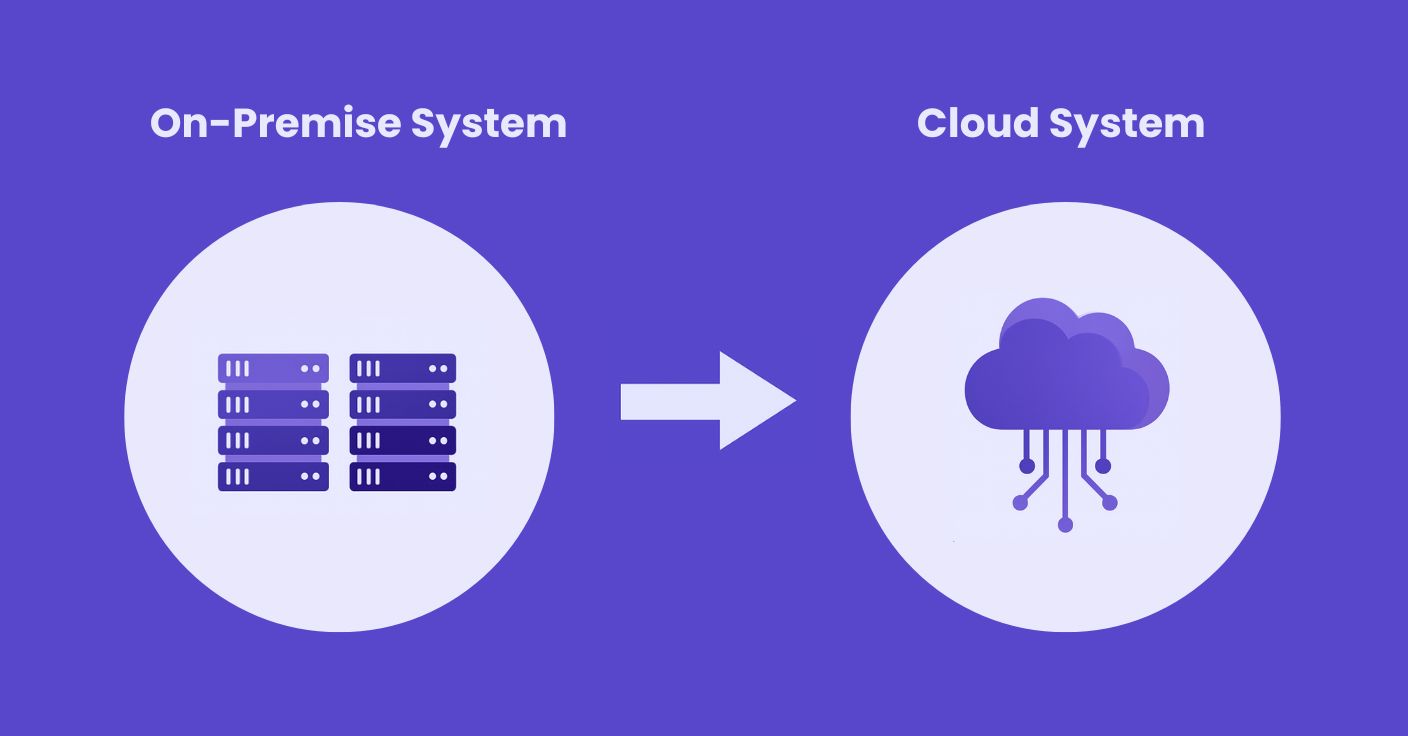
Even if on-premises seems cheaper today, the cost of migrating later can be a strategic game-changer. One of the biggest hidden risks in queue management is not planning for the future. Many organizations opt for on-premise systems, thinking it’s cheaper upfront, only to discover that moving to the cloud later is far more complex and expensive than they imagined.
Switching on-premises queue management systems to a cloud may not be as simple as changing software. Migration of data, reconfiguration of the system, integration with the existing applications, and retraining of staff can introduce additional time and costs. You can do this early in your TCO model to avoid ugly surprises in the future.
A truly accurate TCO calculation isn’t limited to the current deployment; it anticipates future shifts. Include potential migration costs, expected downtime, and transition support when comparing cloud vs on-premise. This ensures your decision reflects a realistic 3–5 year operational horizon.
The cloud providers constantly upgrade features, security and integrations, frequently every month or quarter. On-premise systems, on the other hand, can release large updates at most, at least once a year. Selection of a platform that can quickly change with changing business needs will not only minimize the risk of migration in the future, but also keep your queue management system in sync with your needs as an organization. Strategic queue management, planned with migration and future-proofing, offers long-term advantages beyond immediate cost savings.
Book your free consultation call with Qwaiting experts today and start your 2-week free trial.